Tempo · FigBuild 2026

Time Perception Wearable
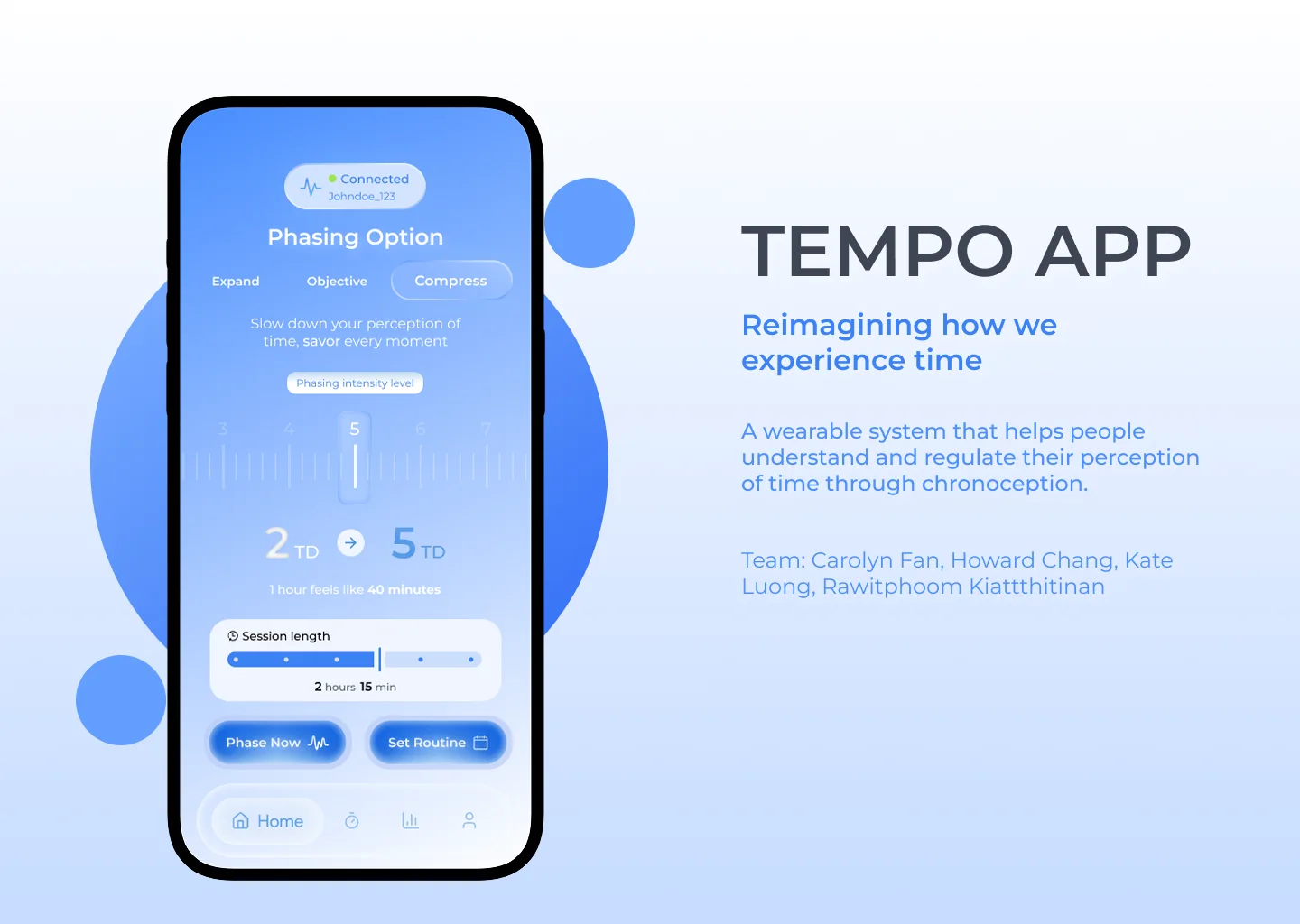
Tempo app cover. A phone shows the Phasing screen with Expand, Objective and Compress modes, an intensity slider and a session length, next to the title Tempo App.

Role

UX/UI Designer

Team

4 people

Timeline

3 days, FigBuild 2026

Tools

Figma

Overview

Tempo is a concept we designed in 3 days at FigBuild 2026. It pairs a small patch you wear with a companion app. The patch reads signals from your body. The app lets you slow time down when you want to enjoy a moment, or speed it up when you are stuck in something boring. I designed the core app experience: the Home, Session and Insights screens.

The Problem
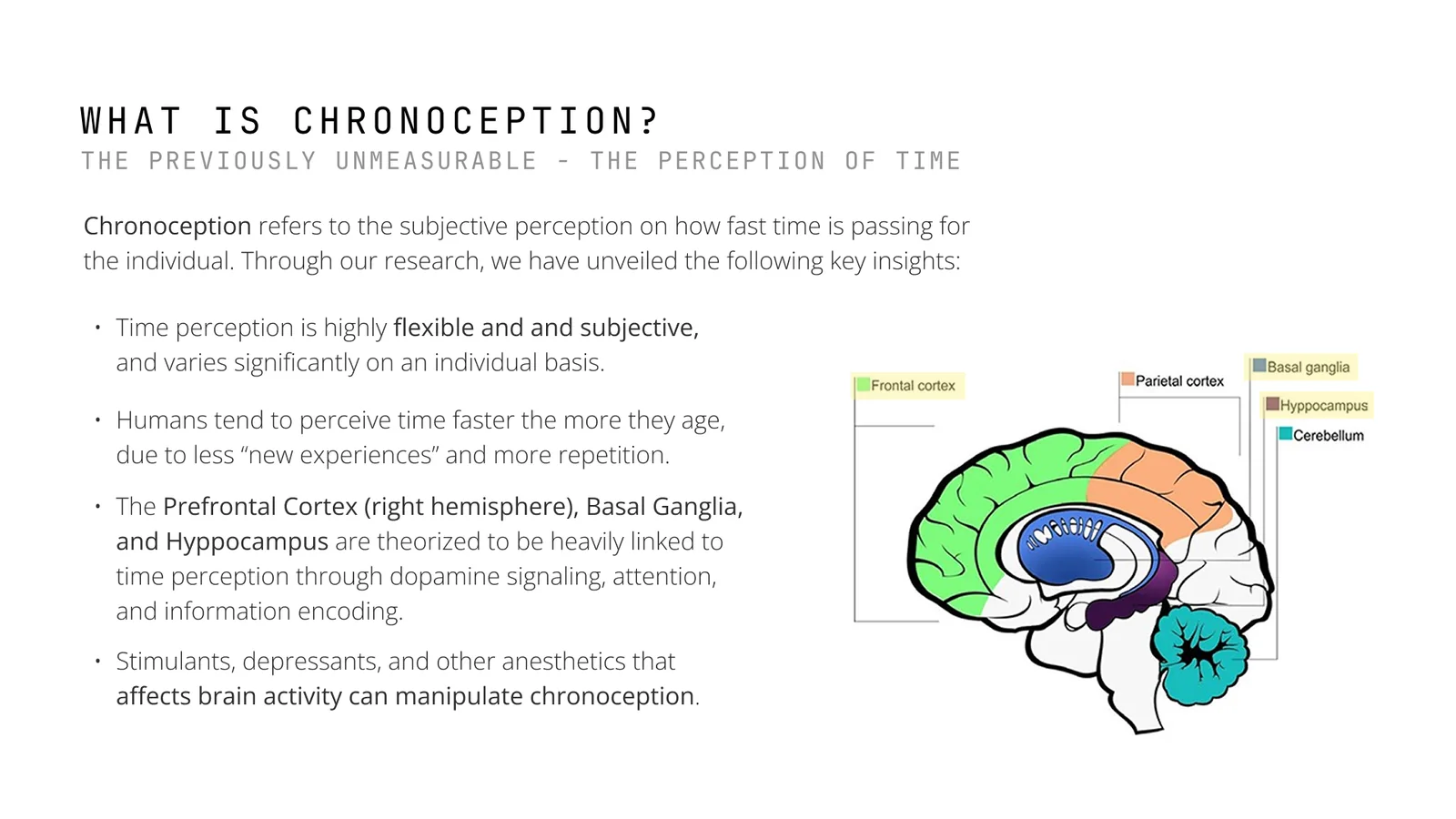
Slide titled What is chronoception. Key insights about how time perception is flexible, speeds up with age and is linked to parts of the brain, next to a labelled brain diagram.
What we learned about chronoception, and the parts of the brain tied to it.
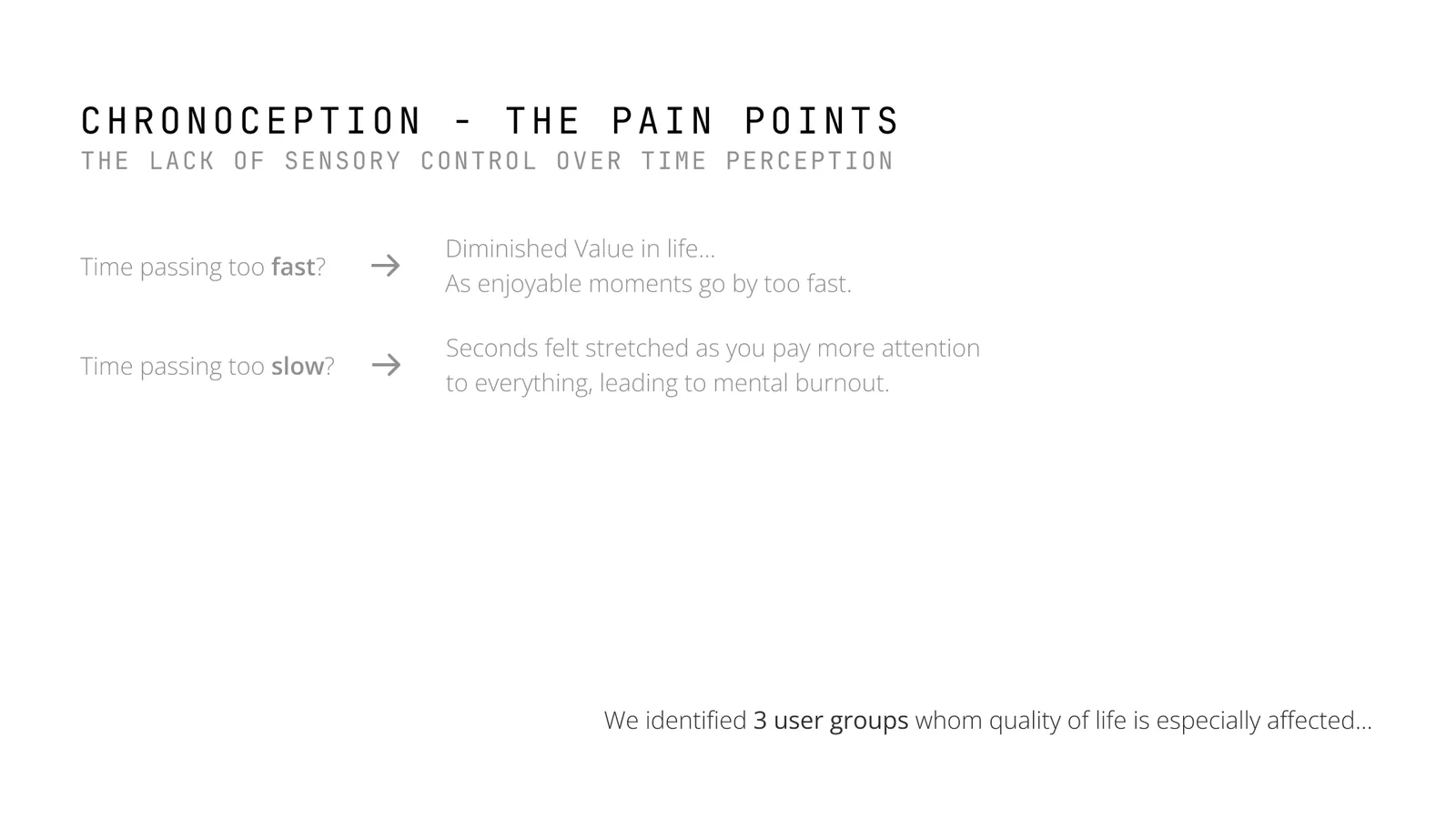
Slide titled Chronoception, the pain points. Time passing too fast takes value out of life. Time passing too slow stretches every second and leads to burnout.
Time that moves too fast and time that moves too slow both hurt.

Chronoception is how fast or slow time feels to you. It changes with age, attention and mood, and most people have no control over it. When time moves too fast, life feels like it is slipping away. When it moves too slow, boring tasks feel endless and lead to burnout.

How might we give people personal control over how they experience time, and turn something you cannot measure into a tool for wellbeing?

Who It's For
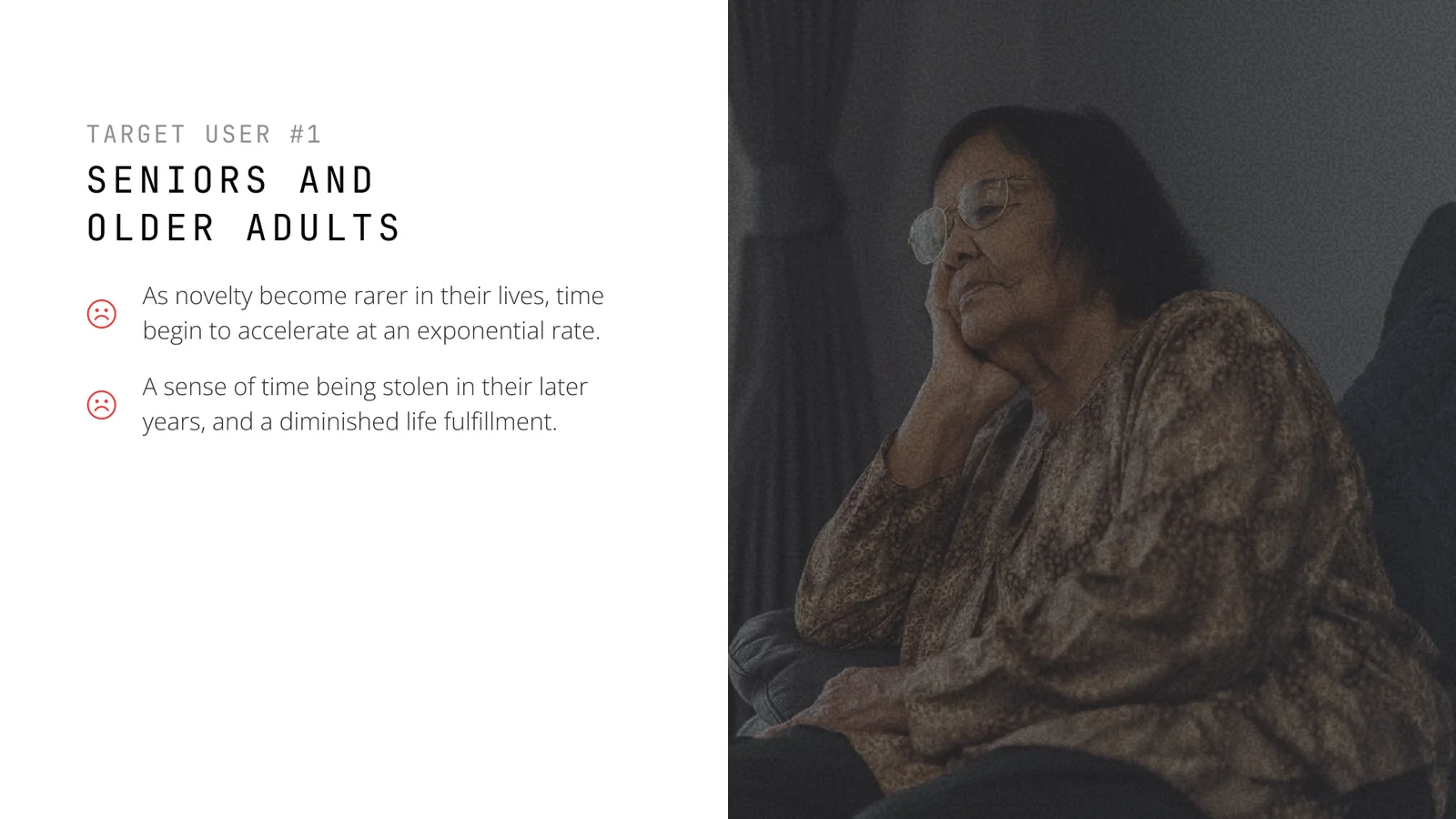
Target user 1, seniors and older adults. An older woman rests her head on her hand and looks into the distance.
Seniors and older adults. Time speeds up as new experiences become rare.
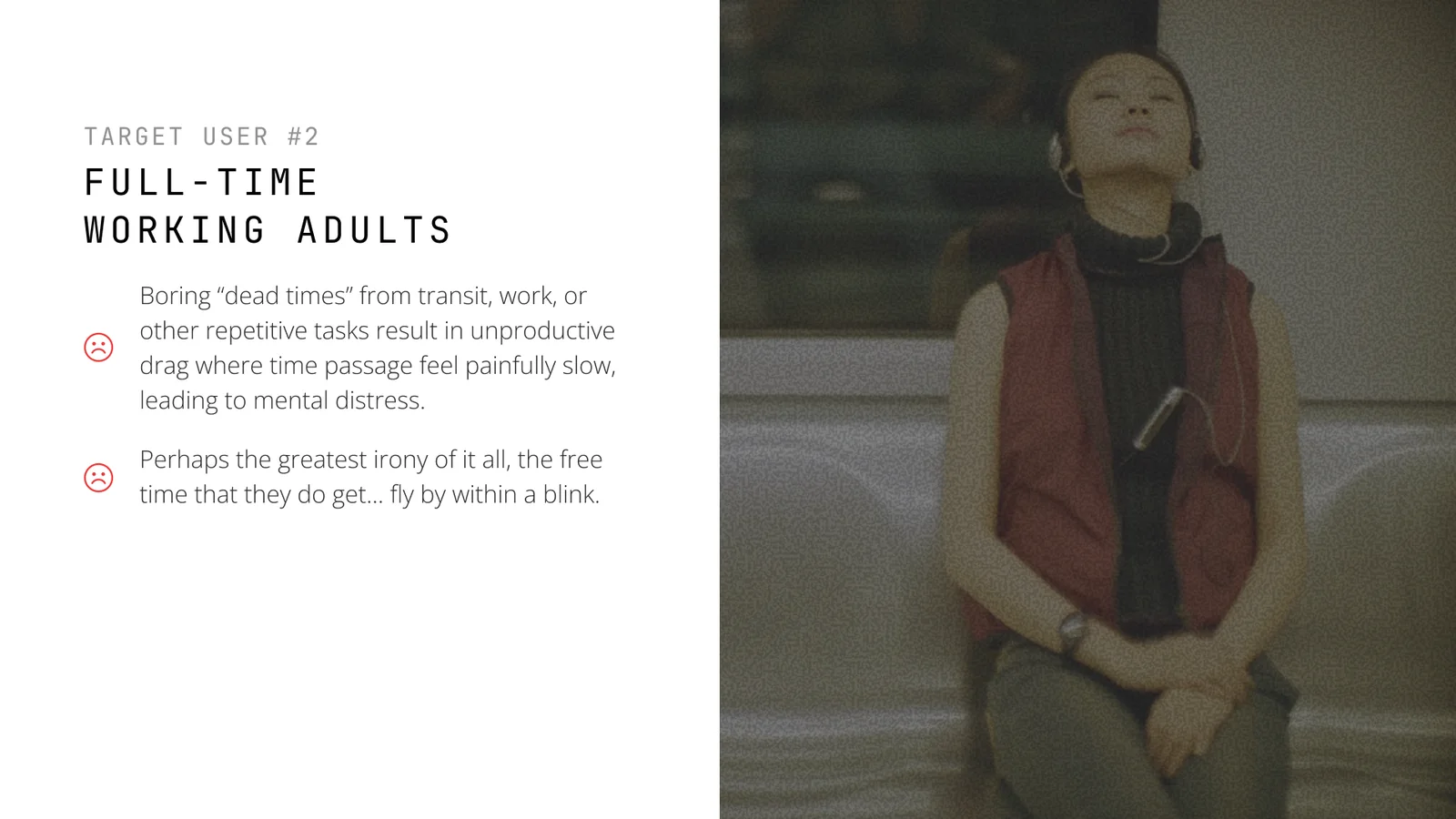
Target user 2, full time working adults. A woman in headphones sits on a train with her eyes closed.
Full time working adults. Commutes and repetitive work drag, while free time flies by.
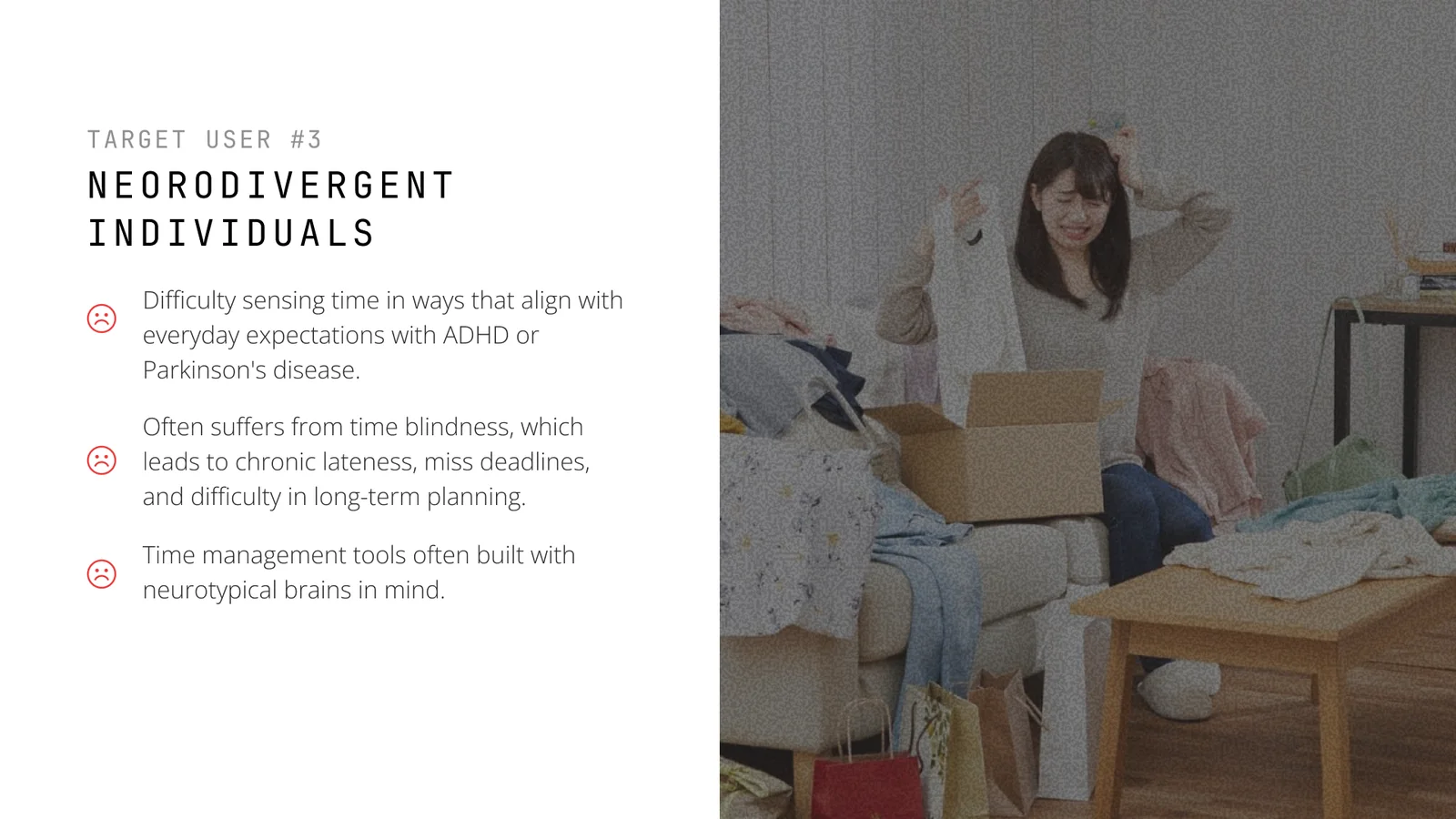
Target user 3, neurodivergent people. A stressed woman holds her head in a messy room full of boxes and clothes.
Neurodivergent people. Time blindness from ADHD and other conditions makes planning and deadlines hard.

The Concept

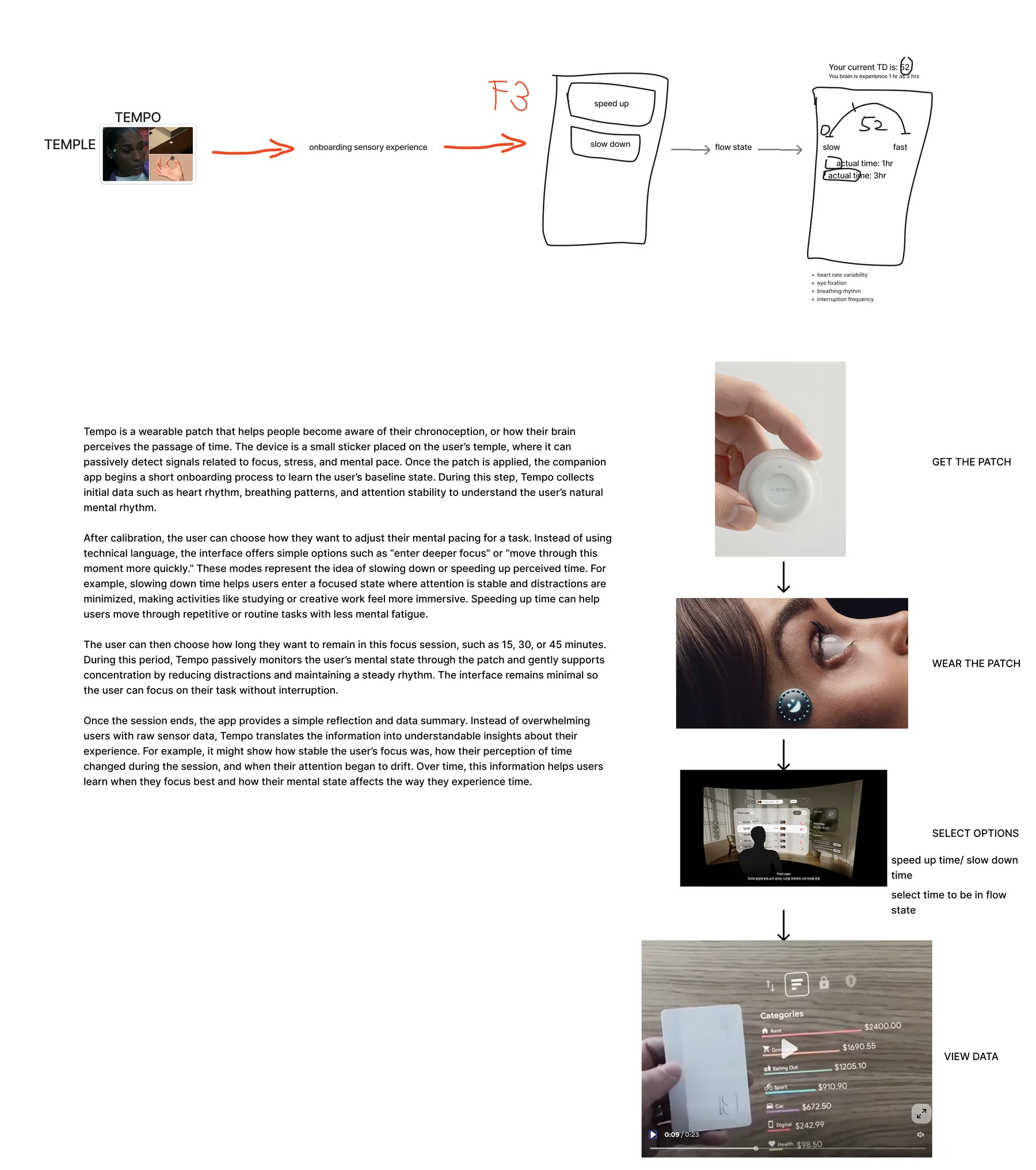
Early sketch of the Tempo journey. A patch on the temple leads to onboarding, a speed up or slow down choice and a data screen, with photos for get the patch, wear the patch, select options and view data.
The first rough sketch of the whole journey.
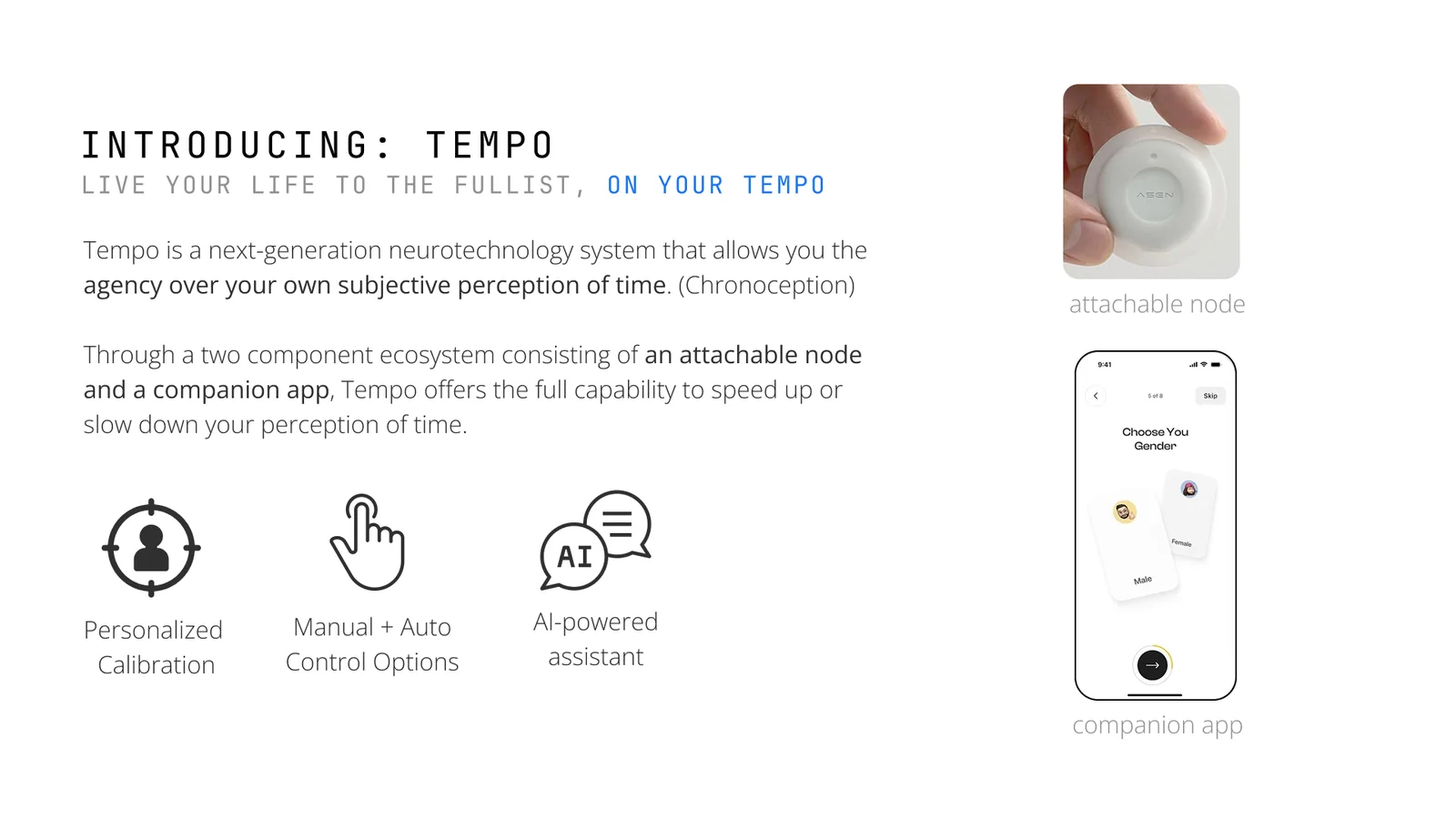
Slide titled Introducing Tempo. An attachable node and a companion app, with three features: personalized calibration, manual and auto control options, and an AI powered assistant.
The concept: a patch you wear and an app that goes with it.

We started with a rough sketch of the full journey: get the patch, wear it, choose how you want time to feel, then look back at your data. The final concept has three parts: personal calibration, manual and automatic controls, and an AI assistant that explains what is happening.

Research and Direction
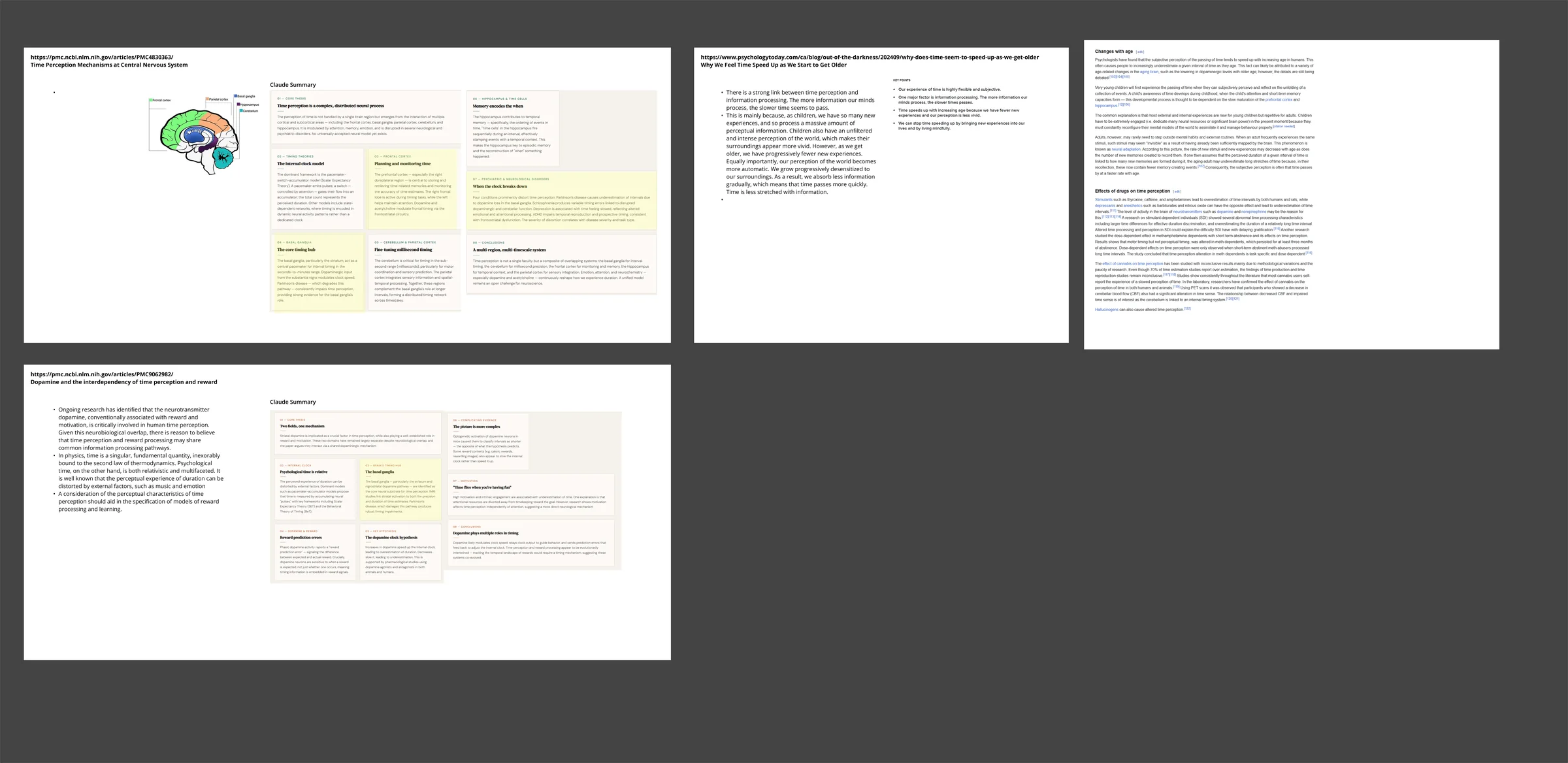
Research board with notes and summaries from papers on how the brain perceives time.
Notes from papers on how the brain perceives time.
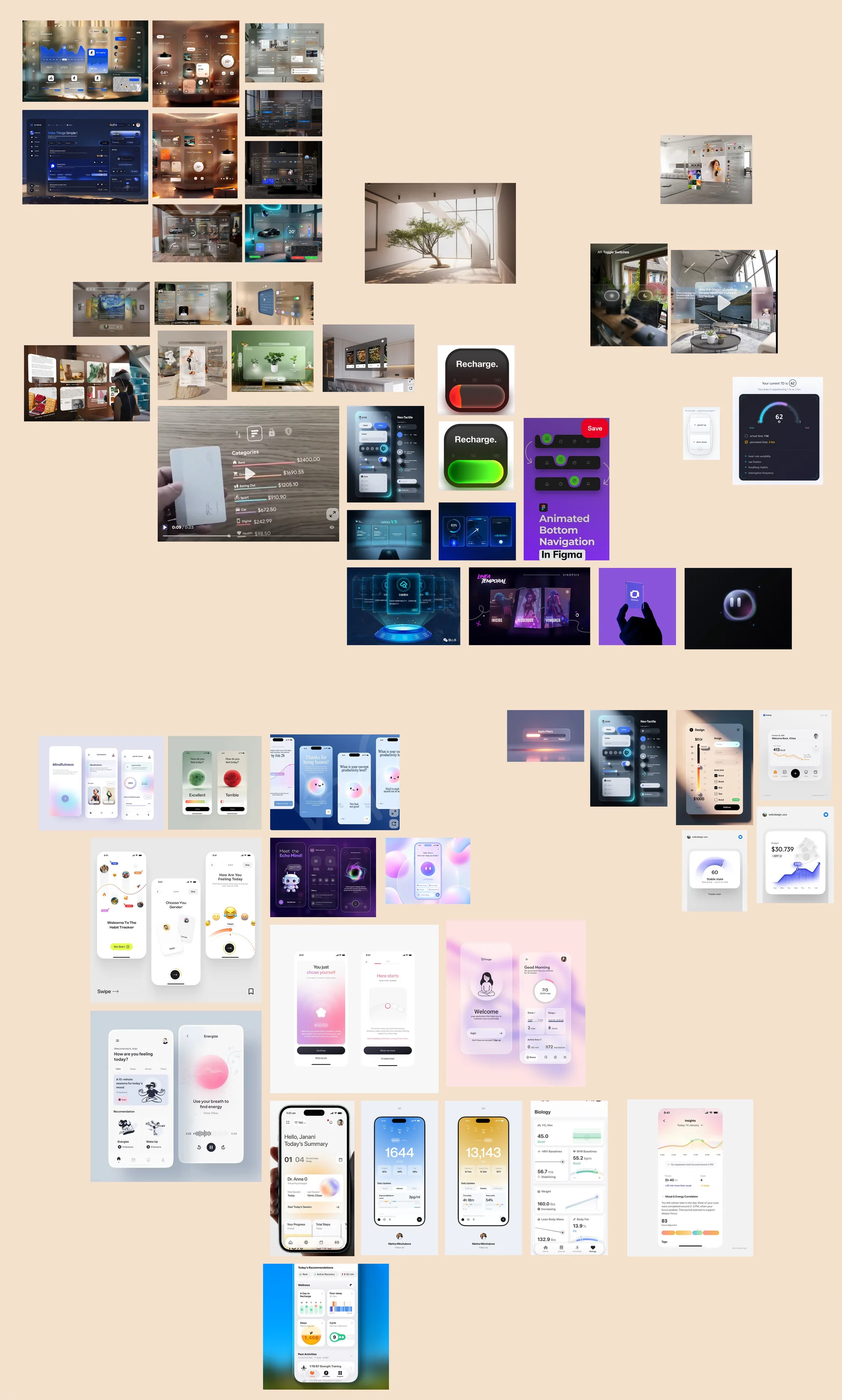
Moodboard of references: glassy interfaces, soft blue gradients, calm interiors and health tracking apps.
The moodboard. Click it to see the whole board.

We researched how the brain perceives time and collected references for a calm, clinical but friendly look. That led to the soft blue palette and rounded, glassy surfaces.

My Part: Designing the Core App

My job was to make an invisible feeling easy to read and easy to control. The hardest part was the number. Tempo measures time distortion in TD, which means nothing to most people. So every screen translates it into plain words, like “You perceive 1 hour as 44 minutes.”
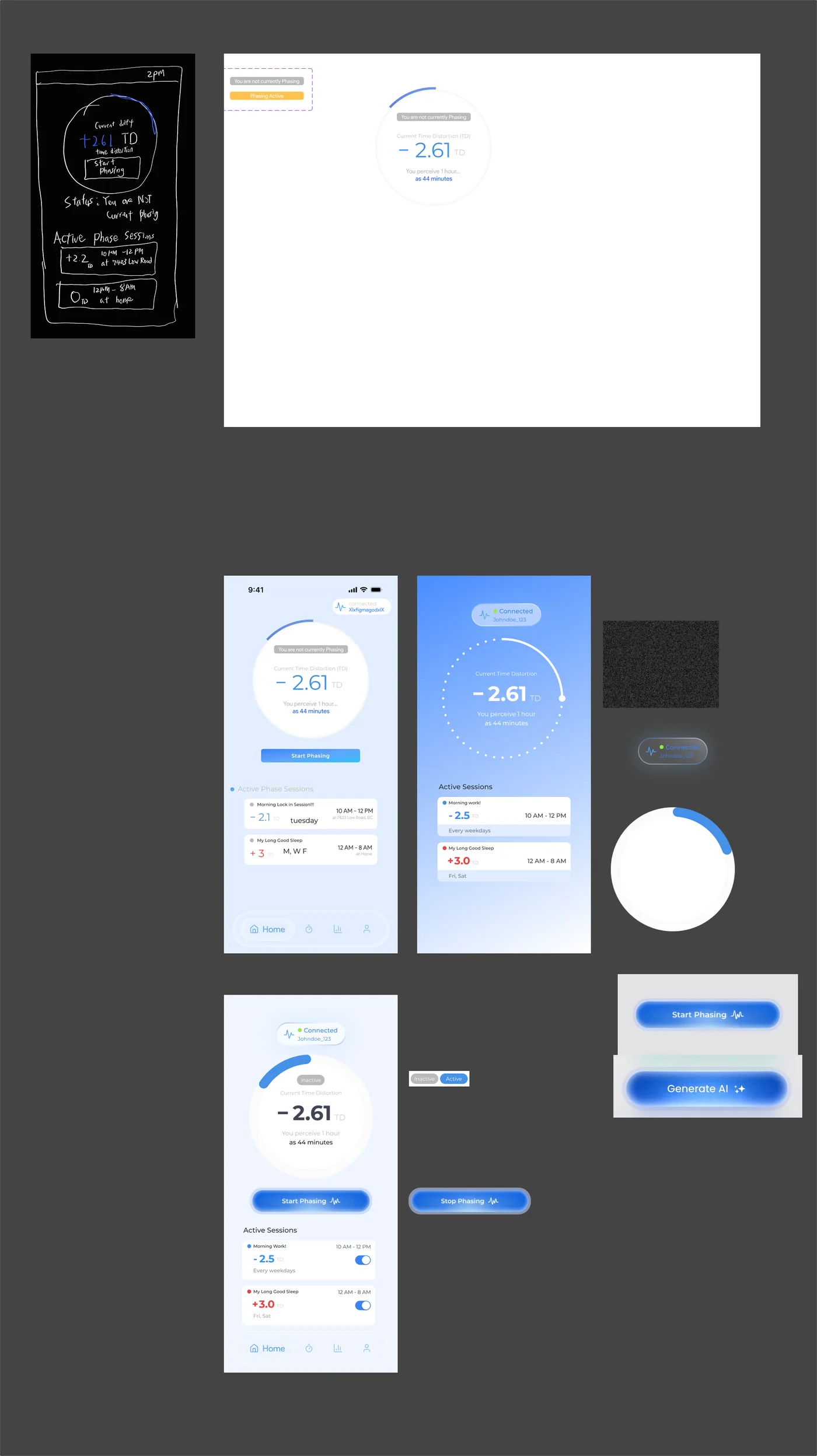
Iterations of the Home screen on a Figma board. A paper sketch, a plain white layout, then blue versions with a time distortion ring of minus 2.61 TD, a Start Phasing button and active sessions.
Home, from a paper sketch to the final layout.

01

Home

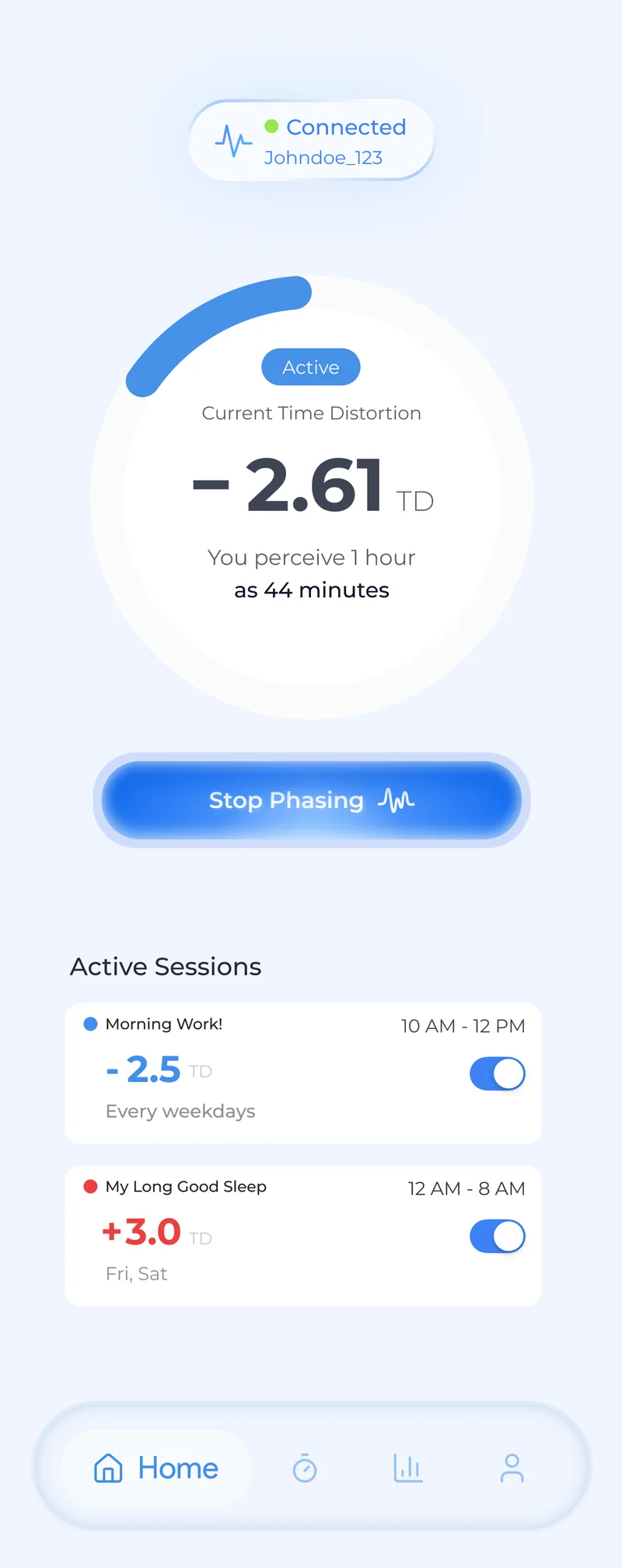
Home went from a paper sketch to several layouts. The final version puts your current time distortion in one big ring, with a single button to start or stop phasing and your saved sessions underneath.
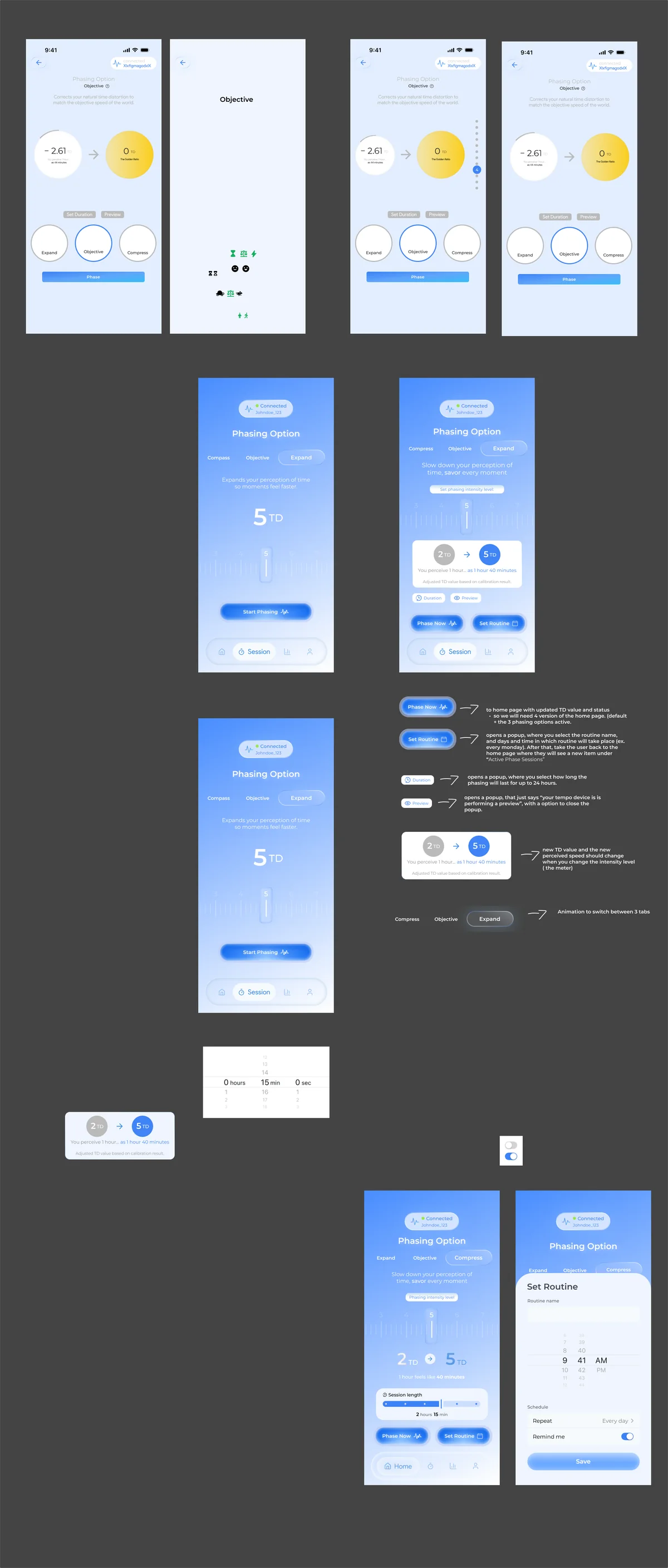
Iterations of the phasing screen on a Figma board. Early versions with many controls, then versions with mode tabs, an intensity slider, a session length bar and Phase Now and Set Routine buttons.
The rounds of the phasing screen.

02

Session

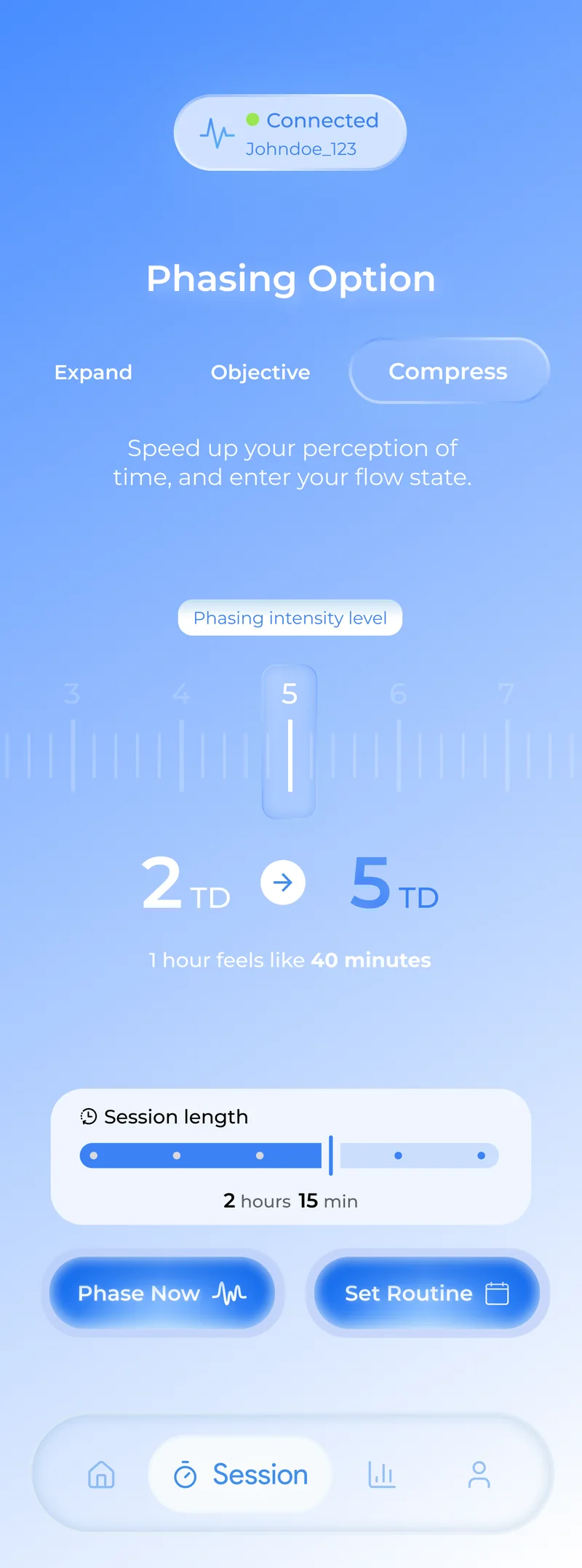
The phasing screen took the most rounds. Users pick a mode (Expand, Objective or Compress), drag a slider to set the intensity and choose how long the session lasts. Early versions had too many controls on one screen, so I grouped them into one clear path that ends in Phase Now or Set Routine.
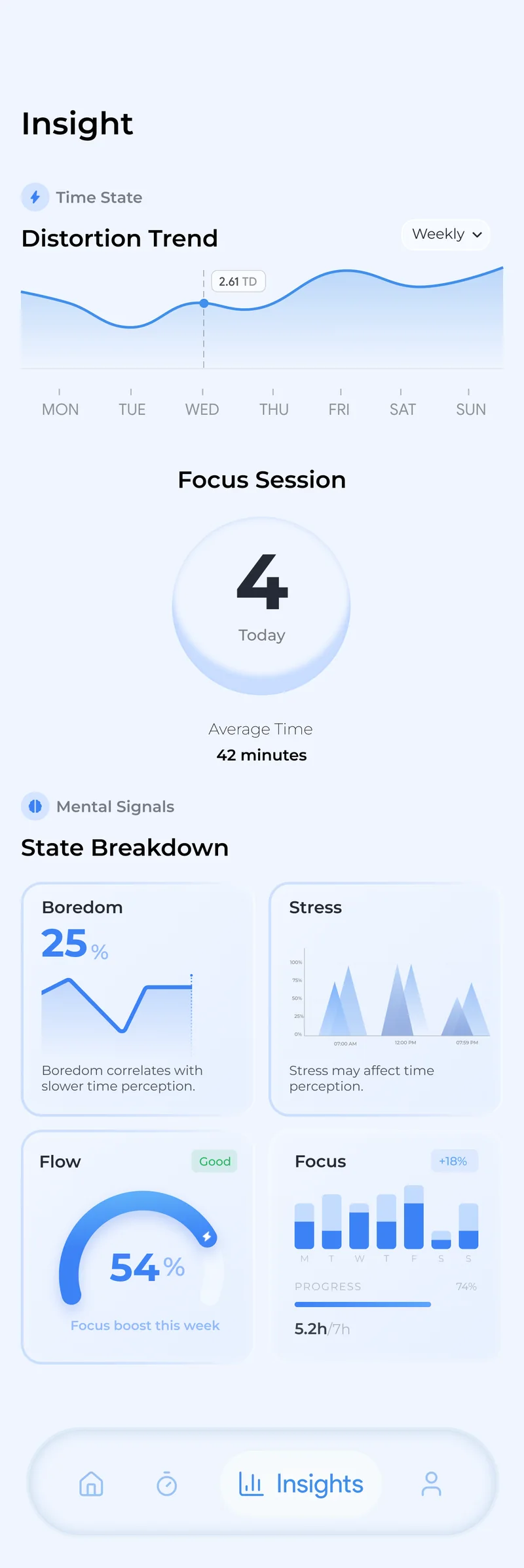
The Insights screen. A weekly distortion trend line, 4 focus sessions today, and cards for boredom, stress, flow and focus.
The final Insights screen.

03

Insights

Insights shows how your sense of time changed over the week, how many focus sessions you finished, and how boredom, stress, flow and focus moved together.

Final Screens

Home, Session and Insights in use.
  • Home: see your current time distortion and start phasing in one tap.
  • Session: choose a mode, set the intensity and session length, or save it as a routine.
  • Insights: weekly trends and a breakdown of your mental states.
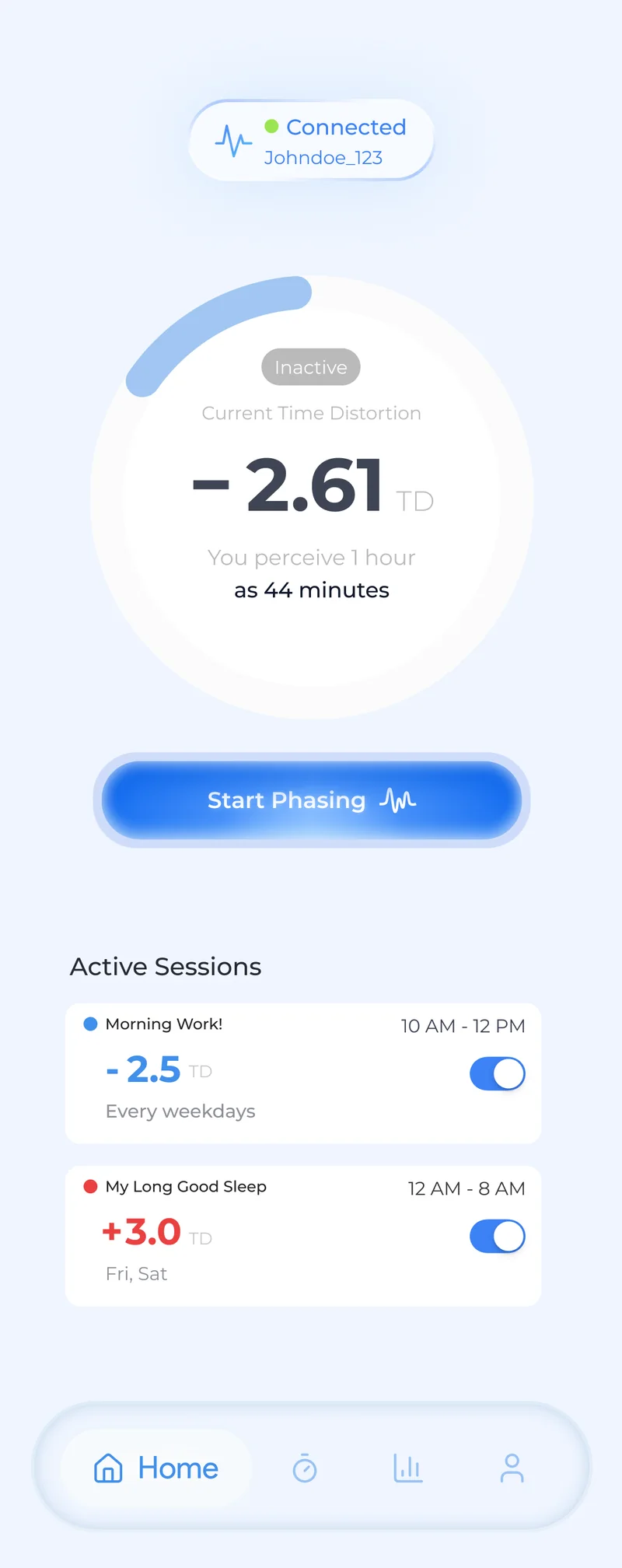
Home screen while idle. A ring showing minus 2.61 TD, the line You perceive 1 hour as 44 minutes, a Start Phasing button and two active sessions.
Home, idle
Home screen while phasing. The ring is marked Active and the button now reads Stop Phasing.
Home, phasing
Session screen. Compress mode is selected, the intensity slider is at 5, 2 TD goes to 5 TD, the session length is 2 hours 15 minutes, with Phase Now and Set Routine buttons.
Session
Insights screen with the weekly distortion trend, today's focus sessions and a breakdown of boredom, stress, flow and focus.
Insights

The Full Flow

The onboarding flow.

Onboarding and calibration, designed by my teammates. New users sign up, pair the patch and calibrate it so Tempo learns their baseline.

Designing for Risk
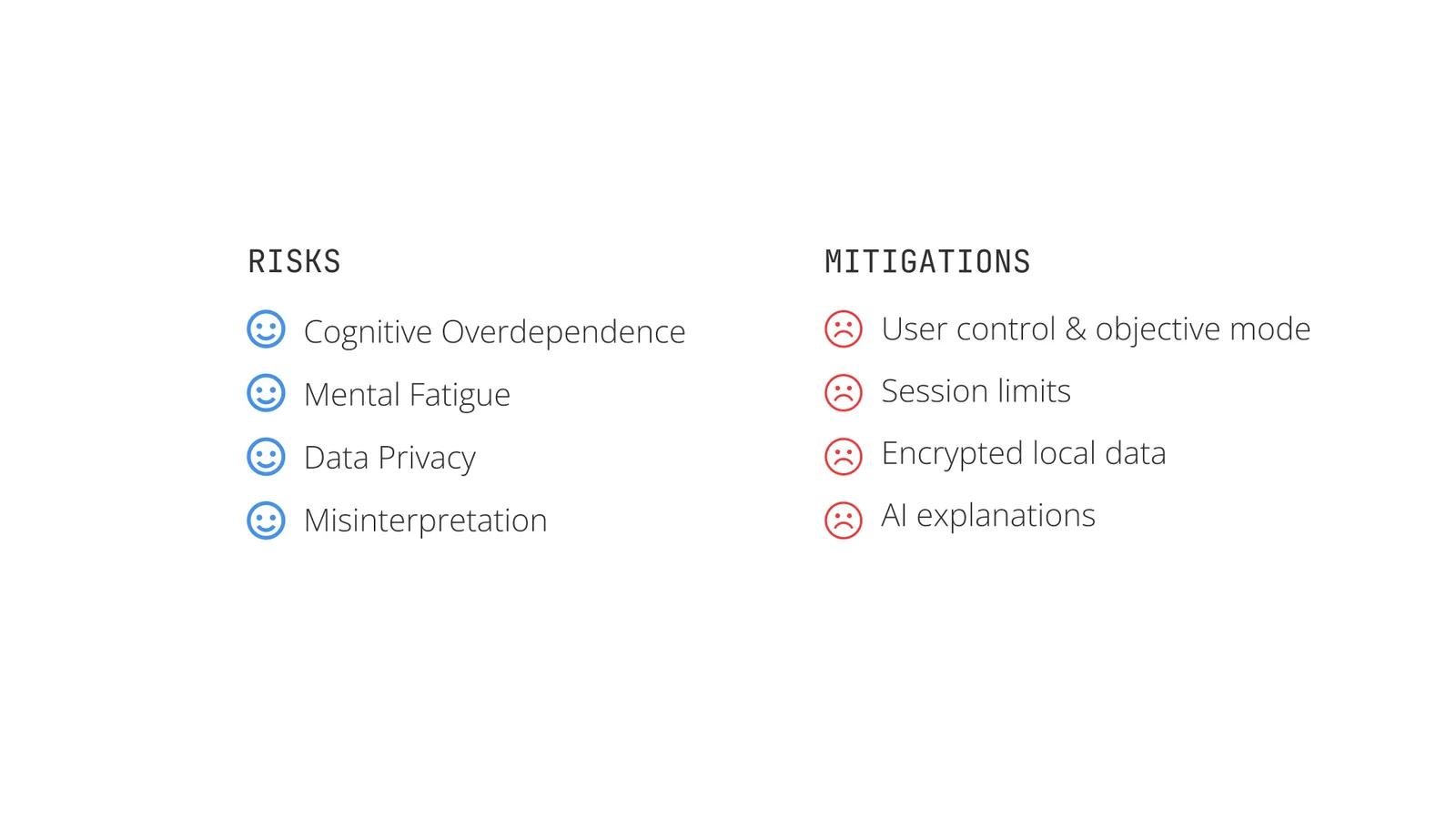
Slide listing four risks, cognitive overdependence, mental fatigue, data privacy and misinterpretation, beside their mitigations: user control and objective mode, session limits, encrypted local data and AI explanations.
Four risks, and what we planned for each.

A product that changes how you feel time needs guardrails. We planned for four risks: relying on it too much, mental fatigue, data privacy and misreading the numbers. The answers were an Objective mode that keeps time normal, session limits, data stored and encrypted on the device, and AI explanations in plain language.

What I Learned

Designing for something you cannot see taught me that the job is mostly translation. Turning a number like TD into a sentence people understand did more than any visual polish. Working in a team of 4 for 3 days also taught me to split the work early, agree on one visual system fast, and keep checking each other's screens so the app felt like one product.

Let's Build Together!

Let's collaborate on creating unique designs and functional websites. Reach out to discuss how I can contribute to your team and help bring your ideas to life.

Let's Connect